

Action Sequences
Allow your agent to reliably invoke multiple actions sequentially
Overview
Action Sequences let your AI Agent call multiple actions back-to-back in a fixed order. Instead of relying on the LLM to invoke each action independently, you define the sequence once — and every time it runs, it executes all actions in order.
This is especially useful when two actions are tightly coupled and one must always follow the other. For example, if you want to transfer a caller to a human agent and also update the contact record before doing so, an Action Sequence ensures both happen every time — without risk of the LLM skipping a step.
Key Use Cases
| Use Case | What It Enables |
|---|---|
| Update Contact + Transfer | Updates a contact's profile before transferring to a human agent, so reps always have full call context. |
| Update CRM + Create Task | Sends data to multiple endpoints in a single invocation — no separate calls required. |
How Action Sequences Work
When an Action Sequence is triggered:
- The AI Agent invokes all actions in the sequence, one after the other.
- Once complete, it uses the combined response to decide next steps.
The LLM treats the sequence as a single unit — it either runs all of them or none.
Set Up Action Sequences
Step 1: Create the actions you want to sequence
In the Agent Builder, add each action individually under the Actions section. These are the building blocks — the sequence references them by name.
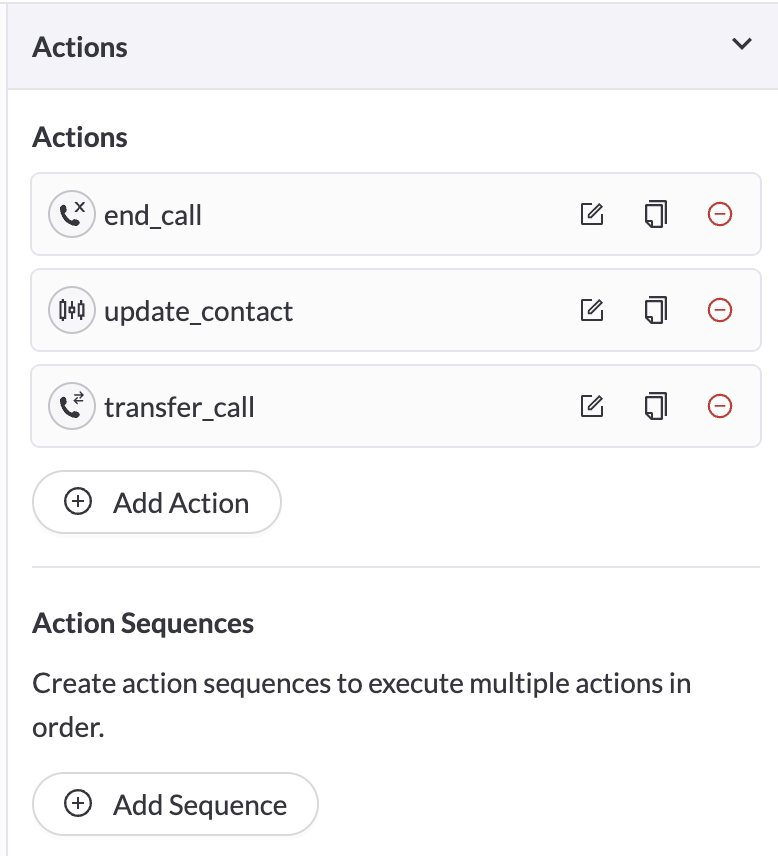
Action Sequences are accessible below the Actions list.
Step 2: Create the sequence
Click + Add Sequence under the Action Sequences section. Give it a name, an optional description (this tells the AI Agent when to use it), and add the actions you want to run in order.
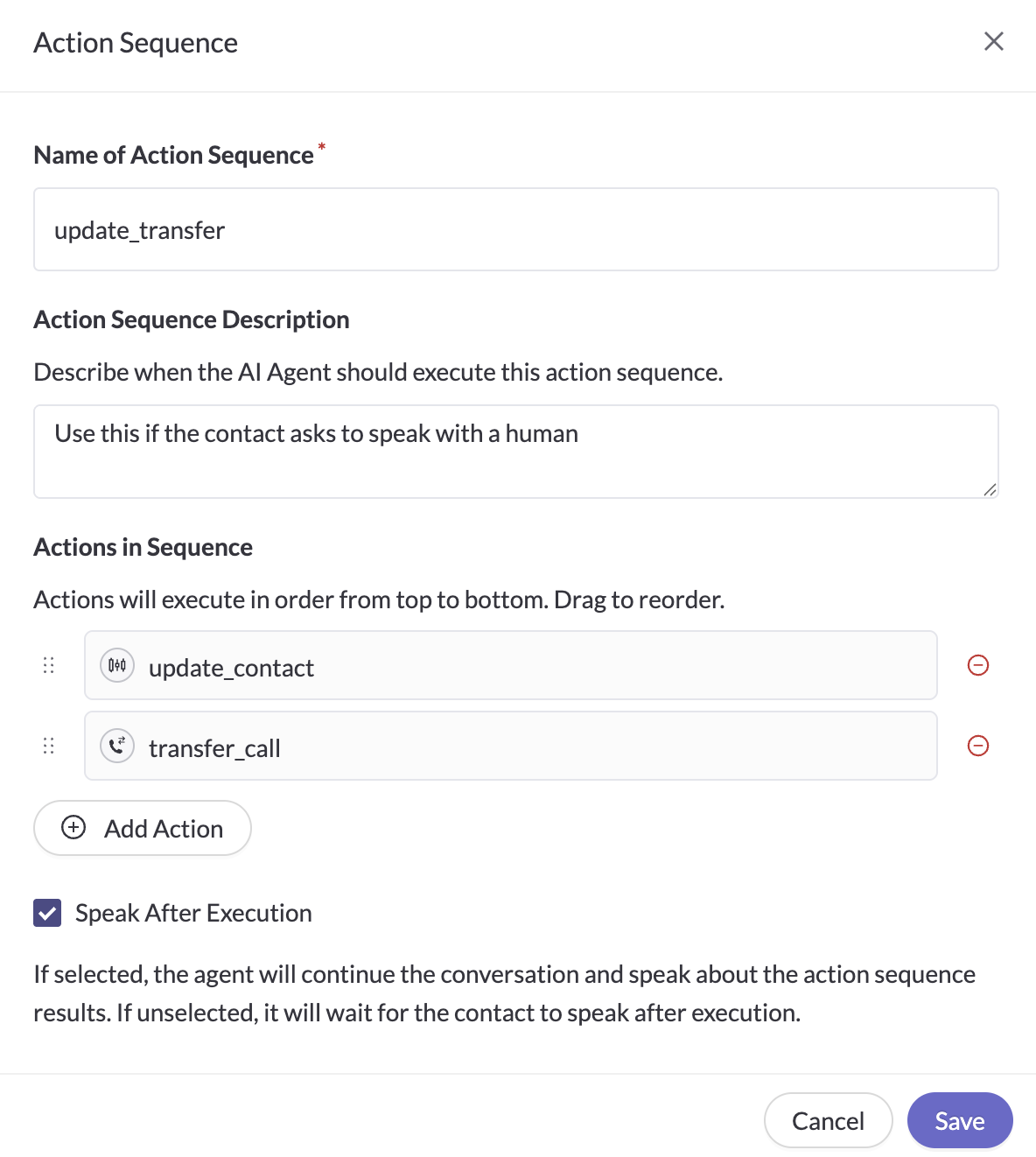
Add and reorder actions to organize the Action Sequence.
The description field is important. Write it the same way you'd describe when to call any other action — the AI Agent uses it to decide when to trigger the sequence.
Troubleshooting & FAQ
Can I reorder actions within a sequence?
Yes — use the drag handles in the sequence modal to reorder actions.
What if one action in the sequence fails?
The sequence will continue if one action fails, and it will log an error message in the response. Here is a sample output if one of the actions fails:
{"success": false,
"chain_results": [  
{  
"action": "failing_action",  
"success": false,  
"error": "Action failed"  
},  
{  
"action": "success_action",  
"success": true,  
"result": "success"  
}  
]}
Can a sequence include other sequences?
No — sequences can only contain individual actions, not other sequences.
Updated 5 months ago