

Brand Secrets and Auth Connections
Store credentials and OAuth connections once and use them across Regal without putting them in your code.
Overview
Brand Secrets is where you store the credentials Regal needs to talk to your other systems. Nothing sensitive ends up in a function, a prompt, or a screenshot.
There are two types:
| Type | Use it when |
|---|---|
| Secret | You have a static value, like an API key. You give it a name and a value. |
| Auth Connection | The system uses OAuth client credentials. Regal gets the access token and keeps it fresh for you. |
Secrets
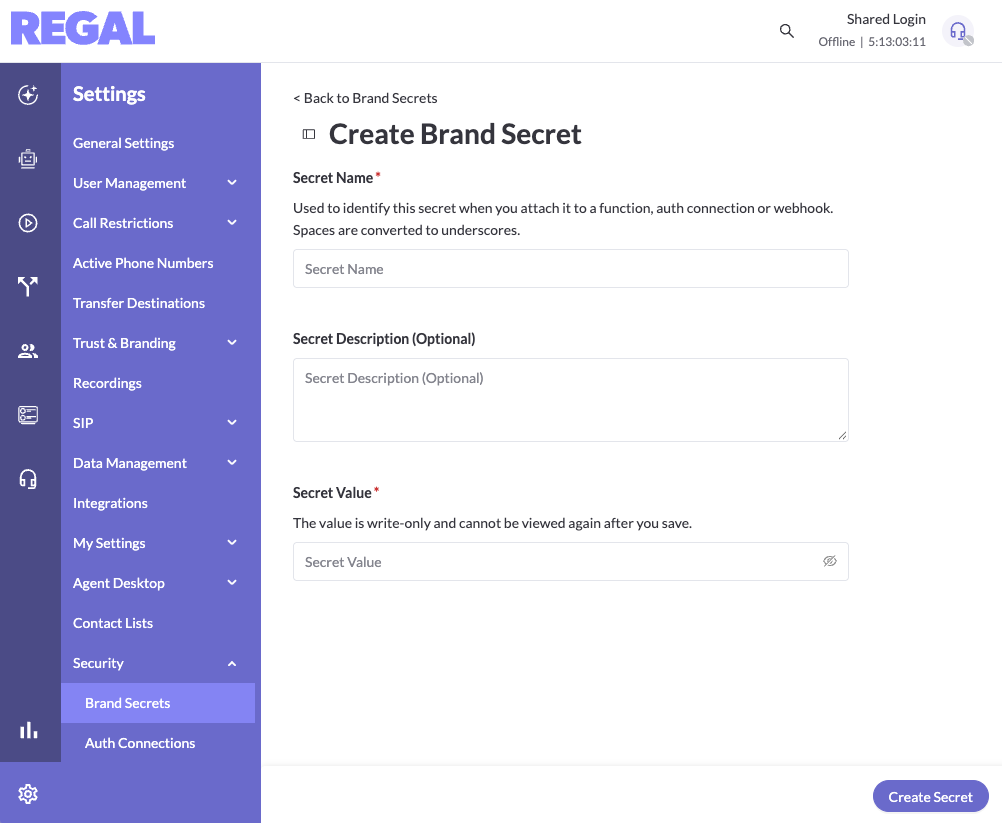
A secret is a name and a value. Once it's saved, you can use it across the app.
- Go to Settings and open Brand Secrets.
- Click Add secret.
- Enter a name and the value, then save.
Auth Connections
Access tokens from OAuth systems expire. Without help, you end up with one function that only fetches a token and another that does the real work with it. Auth Connections replace that pattern. You set up the connection once, and Regal manages the token.
Regal refreshes the token proactively, so your agent never finds out mid-call that a token has expired and has to retry.
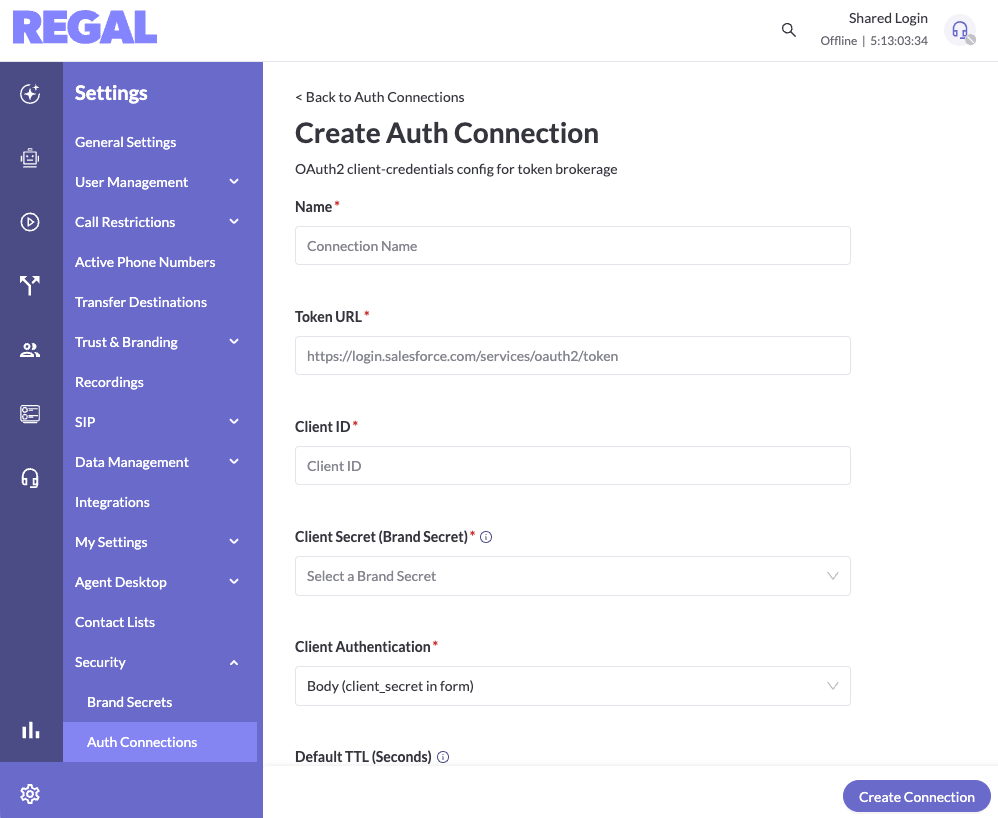
Create a connection
- Go to Settings and open Auth Connections.
- Click Create connection.
- Name the connection.
- Enter the token URL, client ID, and client secret. The client secret is stored in Brand Secrets.
- Choose an authentication method.
- Save the connection.
Test the connection
Use the test option on the Auth Connections page to confirm Regal can get a token before you use the connection anywhere.
Use a connection in a function
Reference a connection the same way you reference a secret, with context.secrets.<name>. Here is a function that calls an API with a connection named CRM_AUTH:
exports.handler = async function (event, context) \{
const axios = require("axios");
const token = context.secrets.CRM_AUTH;

const response = await axios.get("url", {
  headers: { Authorization: `Bearer ${token}` },
});

return { status: response.status };``\};
For more on writing functions, see Functions.
Troubleshooting & FAQ
Where is the client secret stored?
In Brand Secrets. You enter it when you create the connection.
Do I still need a function that fetches the token?
No. Remove it and reference the connection in the function that makes the call.
Can I use a connection in a journey or another part of Regal?
Not yet. Connections work in functions today.
My function can't read a connection.
Confirm the connection exists on the Auth Connections page, passes its test, and that the name in context.secrets.<name> matches exactly.
Updated about 1 hour ago