

Five9 Transfer-Aware Dialing
Maintain high dialer throughput while minimizing abandoned transfers with Regal's Transfer-Aware Dialing with Five9.
Regal's Transfer-Aware Dialing with Five9 allows you to maintain high dialer throughput while minimizing overwhelm to your transfer agents. This is perfect for outbound qualification flows where:
- AI or human agents handle initial outbound calls
- Calls are then transferred to a more specialized team, either within Regal or in an external platform (e.g., Five9)
If dialing is paced only according to the initial (target) agents, transfer agents can quickly become overwhelmed - leading to long wait times or abandoned transfers.
Regal's Transfer-Aware Dialing places calls with your full workflow in mind - including your transfer agents in Five9. By intelligently pacing your outbound calls based on both target and transfer agent capacity, you can minimize abandoned transfers, improve customer experience, and maximize the ROI of your conversations.

How Transfer-Aware Dialing with Five9 Works
In determining the volume of calls to place for a campaign using Transfer-Aware Dialing, the system will ensure that there is sufficient capacity on both the Target Queue and the Five9 Transfer Queue:
- Target Queue Volume (the agents initially handling the dialed outbound calls): the product of the calls/agent ratio and the agents' call capacity.
- Five9 Transfer Queue Volume (the agents handling the transfer calls created from this campaign): the quotient of the transfer agents' call capacity divided by the inputted transfer rate.
Note: An agent is eligible for a call if they are available in the queue selected and have capacity for a call.
When the transfer agents are in Five9, Regal queries Five9 in real time to determine how many agents are available in the selected Five9 queue and uses that data to pace dialing.
Dialing Example
Progressive Dialing (Target Queue Only):
Say you're dialing with a Progressive Dial campaign staffed by AI Agents who are qualifying leads and transferring them to licensed human agents in Five9.
Target Queue Volume:
- 2 AI Agents are eligible at 30 calls capacity each
- Calls/Agent ratio is 5
Target Queue Volume = 300
-> The system will place up to 300 calls.
Five9 Transfer-Aware Progressive Dialing:
When you configure the campaign to also reference a Five9 Transfer Queue (with the inputted Transfer Rate), the system will check that Transfer Queue Capacity as well:
Target Queue Volume:
- 2 AI Agents are eligible at 30 calls capacity each
- Calls/Agent ratio is 5
Target Queue Volume = 300
Five9 Transfer Queue Volume:
- 10 human agents are eligible in Five9
- Transfer Rate is 15%
Transfer Queue Volume = 66
-> The system will place up to 66 calls.
Setting up Transfer-Aware Dialing with Five9
Step 1: Five9 Integration Setup
To enable Transfer-Aware Dialing with Five9, Regal must be able to authenticate with Five9 and read queue availability.
a. Create a Dedicated Five9 Supervisor Account
Create a dedicated Five9 Supervisor user specifically for the Regal integration.
Important: This account should only be used for integration purposes. Logging into this account directly (e.g. via the Five9 UI) will temporarily break Regal’s connection. Do not use a shared or personal supervisor account.
b. Add the Supervisor User to Relevant Queues (Skills) in Five9
Regal knows which Five9 queues it can reference by checking the queues associated with the connected supervisor user.
In Five9, you must add the dedicated supervisor user to every queue you want Regal to reference for transfer-aware dialing.
c. Connect Five9 in Regal
In Regal:
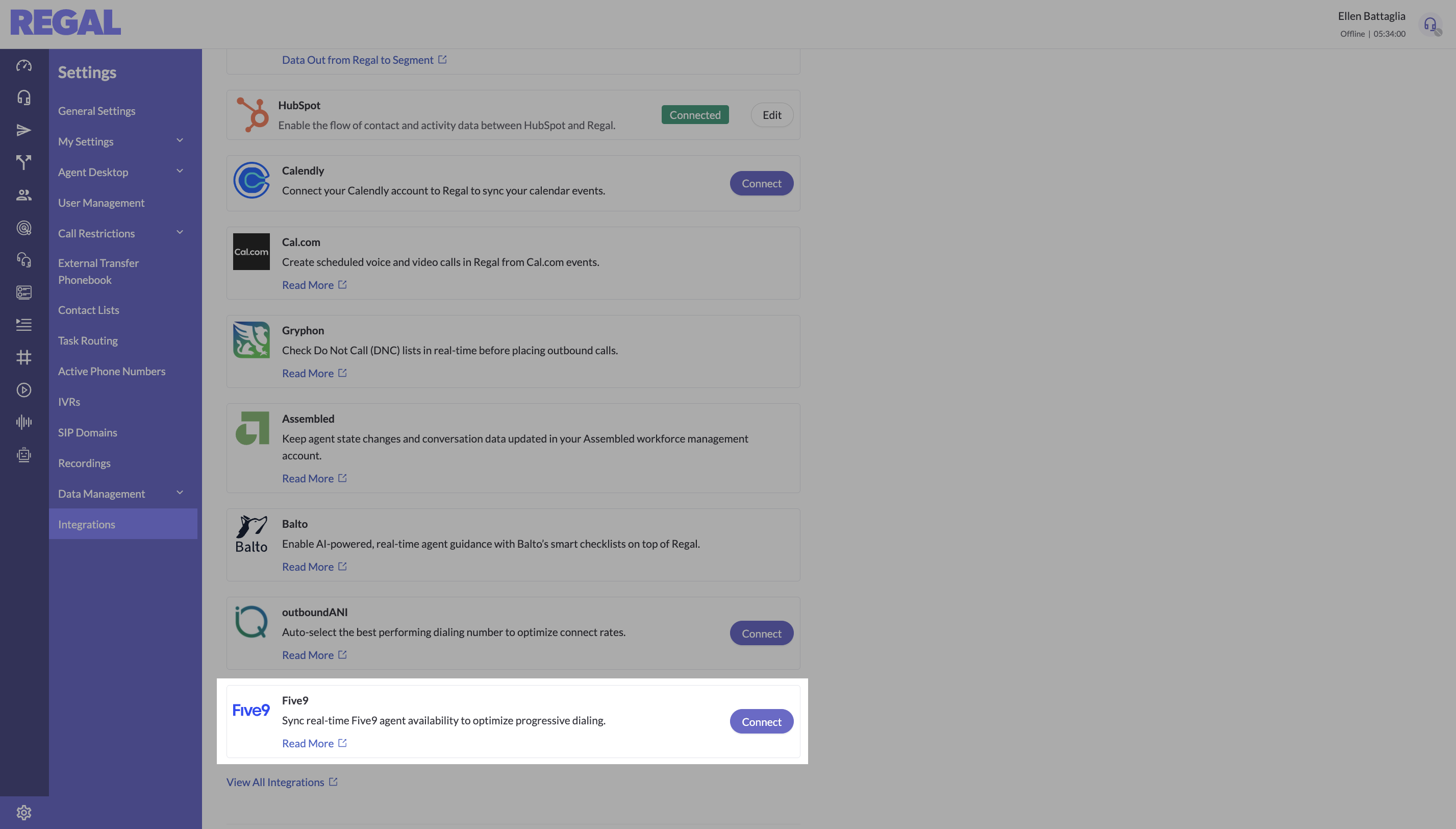
- Navigate to Settings → Integrations
- Find Five9 and click Connect
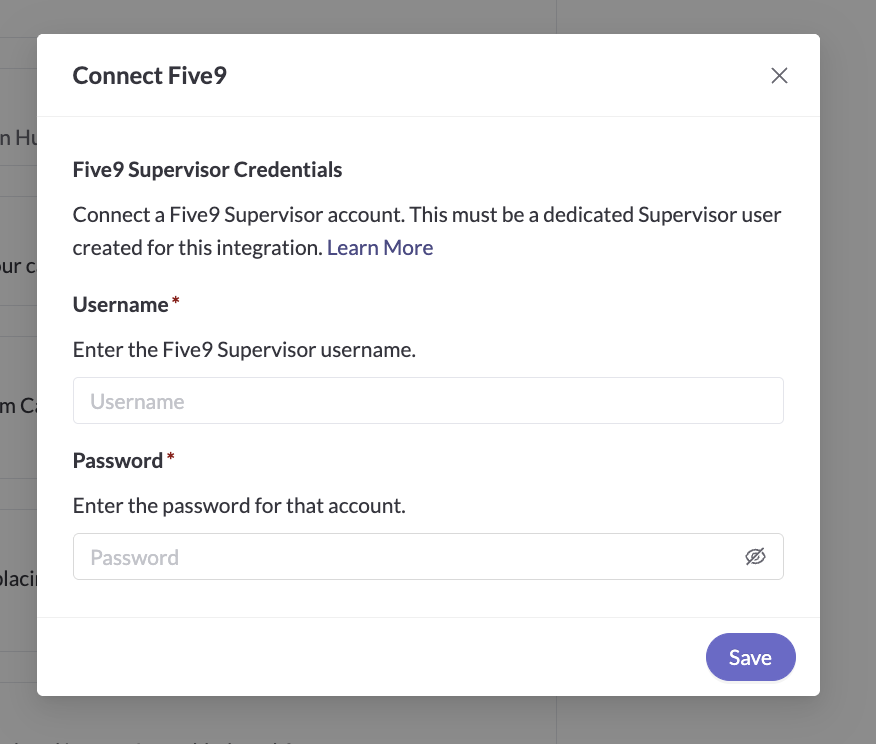
- Enter the supervisor username and password for your dedicated account
- Save
Step 2: Campaign Setup
a. Create a Progressive or Predictive Dial Campaign
Create a Progressive or Predictive Dial campaign as usual, configuring your Target Queue, Calls/Agent Ratio, voicemail settings, etc.
b. Configure Transfer-Aware Dialing Fields
Two additional fields are required when enabling transfer-aware dialing.
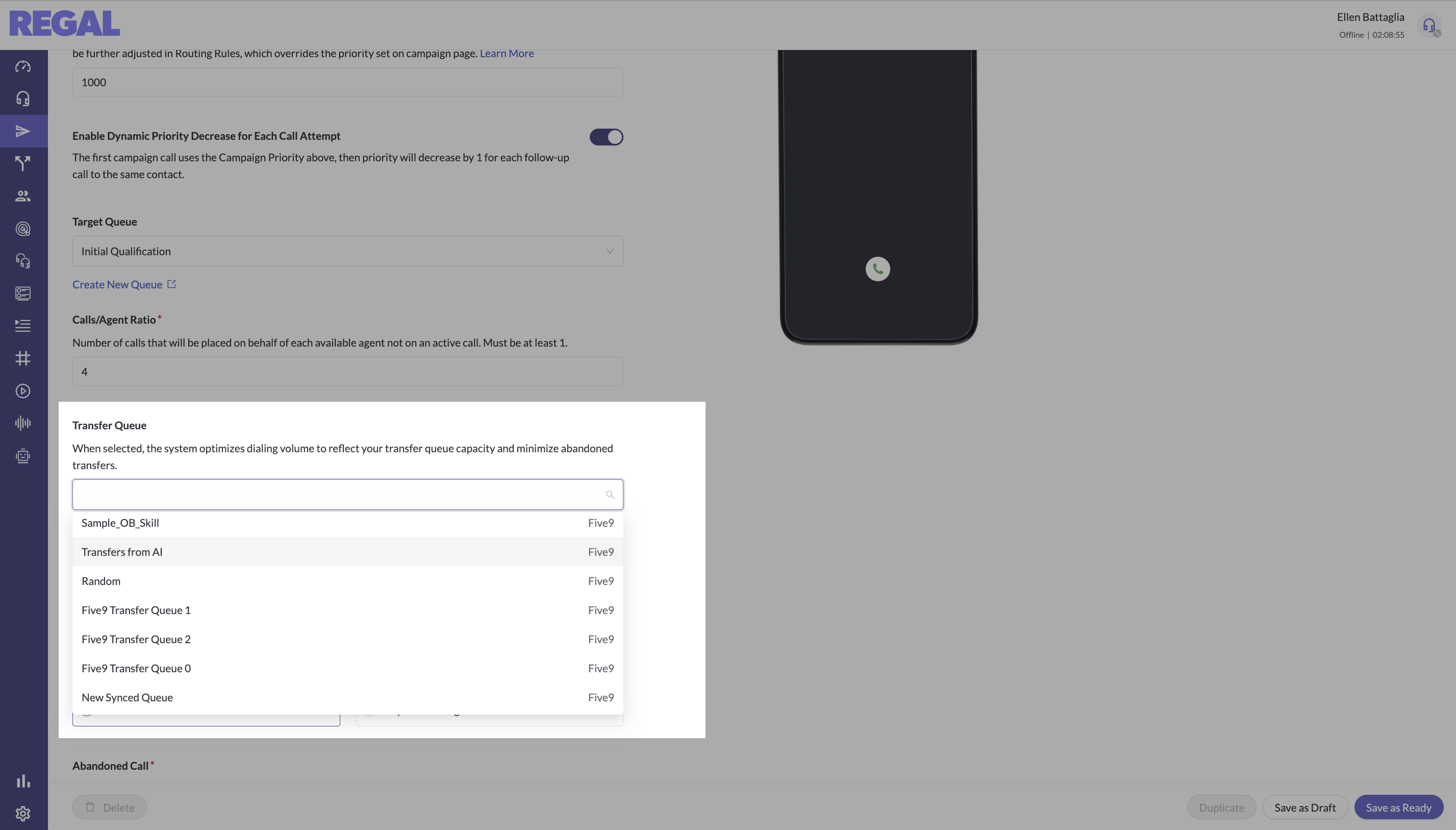
- Transfer Queue: Select the queue that your AI or initial agents will transfer calls into
- The dropdown is populated with Five9 queues associated with your connected supervisor user
- Selecting a transfer queue does not control where calls are transferred - it only tells the dialer which queue’s capacity to reference when pacing calls.
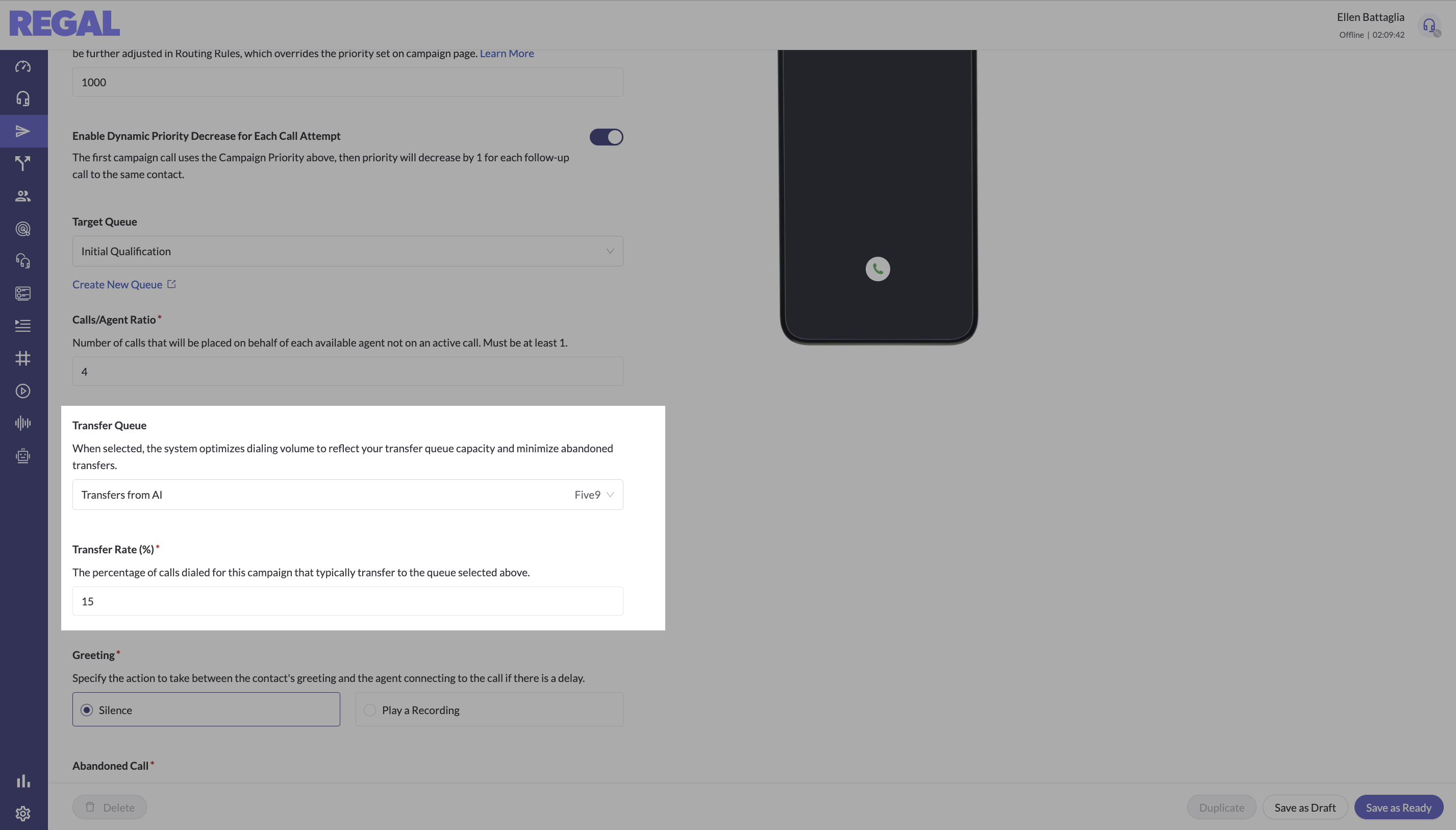
- Transfer Rate (%): The expected percentage of dialed calls that will result in a transfer to the selected queue
- This is a static estimate used for capacity planning
- Recommended best practices:
- Use historical reporting to determine how many calls typically transfer
- Err higher to start, adjust as needed
Note: Keeping Five9 Queues in Sync
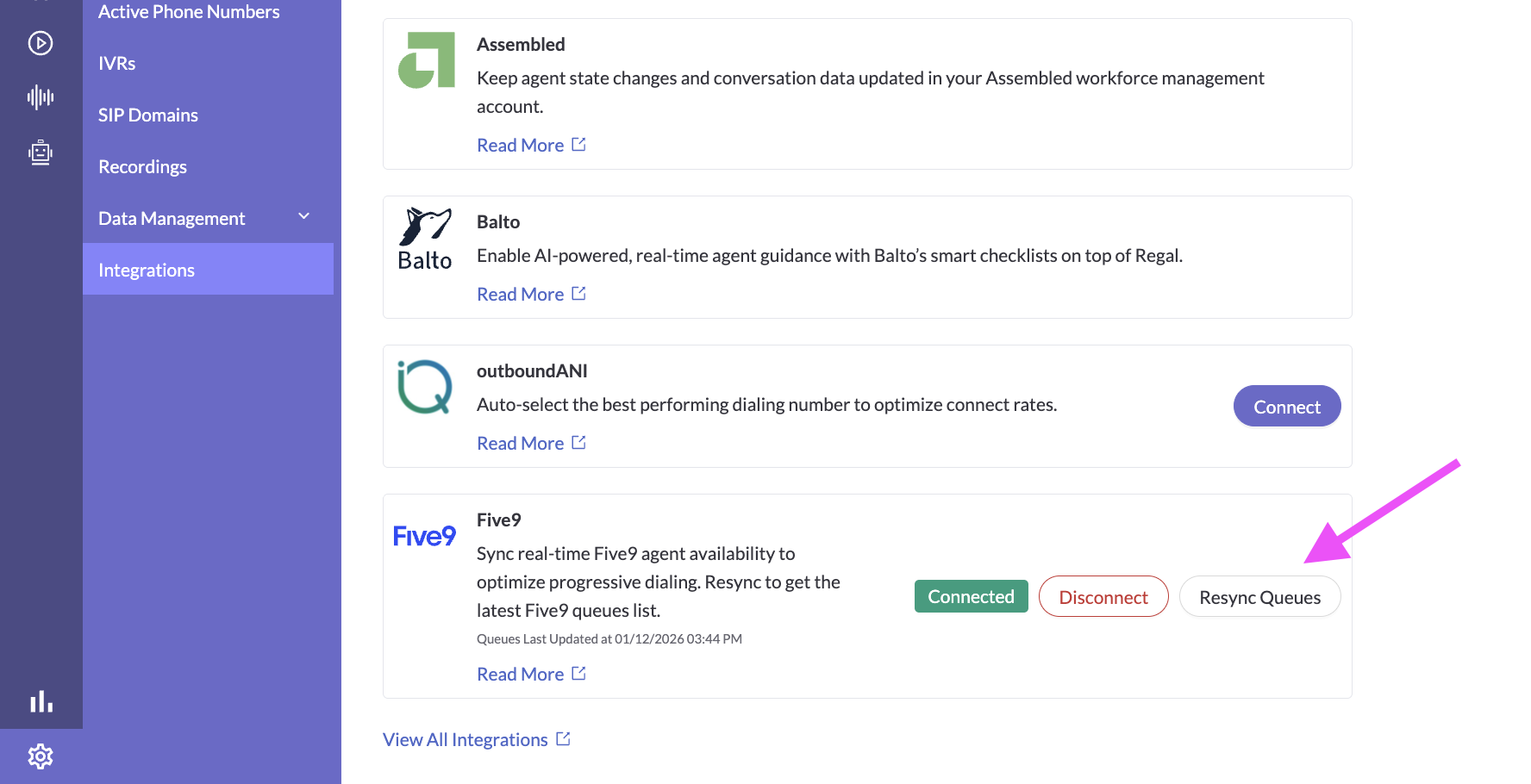
If you add, remove, or edit your Five9 queue (skills) that are relevant for Transfer-Aware dialing, you must resync your queues with Regal.
- Go to Settings → Integrations → Five9
- Click Resync Queues
This refreshes the queue list and ensures the campaign dropdown reflects the latest Five9 configuration.
Step 3: Go Live 🚀
Once configured, the system works automatically - continuously balancing speed and safety as your target or transfer agent availability changes.
Updated 3 months ago