

Emailed Reports
Receive Regal performance dashboards straight to your inbox
For customers that don't have the engineering resources to ingest Regal data into your own data warehouse and BI tool, we offer Reporting seats that include access to out-of-the-box dashboards in the Regal app. We also offer a custom reporting option, should you want to build a custom set of reports yourself in Regal. You can then schedule those reports to send via email, and can even include csv attachments to do analysis outside of Regal.
From the Regal reporting tab, select the report you want to schedule.
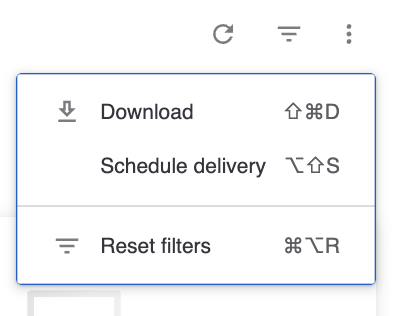
Step 1: Click the 3 dots > Scheduled delivery
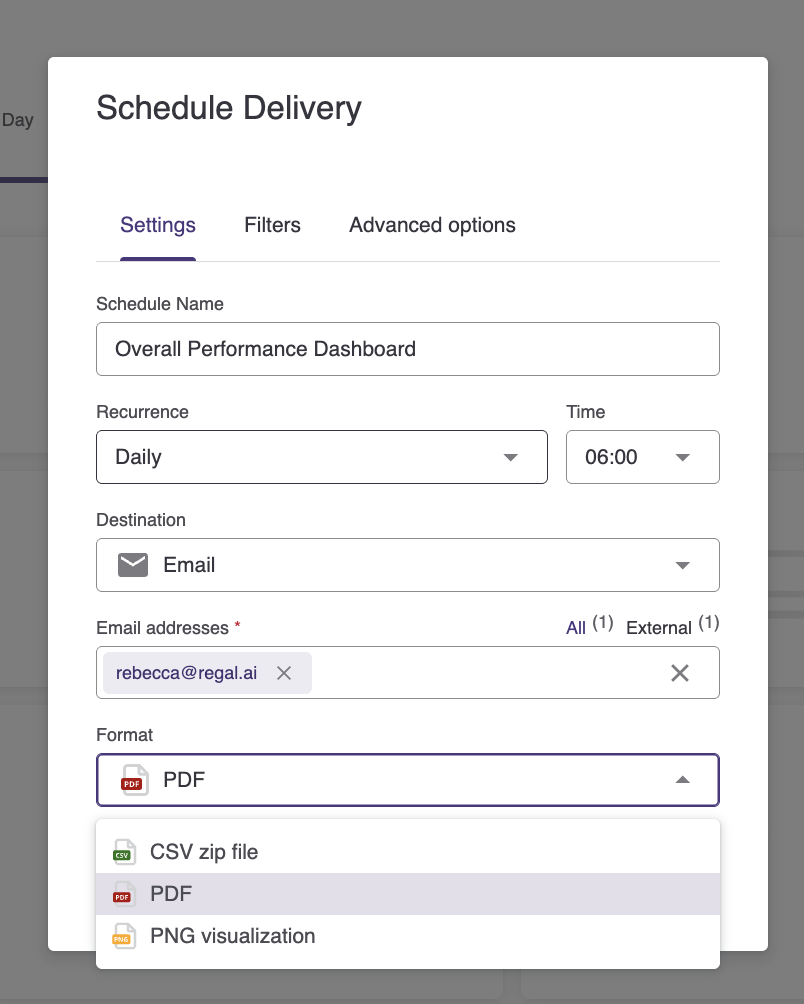
Step 2: Configure Your Delivery
- Recurrence/Time: Select the frequency and time
- Email addresses: Add the email addresses you want to deliver to
- Format: CSV works best for table data sets, PDF for full dashboards
- Filters: Adjust the filters as needed. Schedules inherit the default filters of the dashboard unless you modify them here
Learn more about Reporting Dashboards:
Updated 6 months ago
Did this page help you?