

Functions
Write JavaScript, host it in Regal, and manage it with the editor or Copilot.
Overview
Functions let you write JavaScript and run it directly in Regal. Use a function to clean up data, reshape a payload, call an API, or apply a business rule, without any code living in another system.
Every function declares what it takes in and what it returns. Regal hosts and runs the code, keeps a version history, and lets you test before anything goes live. You can build and manage functions in the editor or ask Copilot to do it for you.
Once your function is active, see Run Function Action to call it from an AI Agent.
Key Use Cases
| Use Case | Why It's Powerful |
|---|---|
| Data cleanup | Normalize phone numbers, emails, and transcribed input before your agent uses them |
| Date and time logic | Handle time zones, days of the week, and timestamp formats in code instead of in the prompt |
| System lookups | Call your CRM or another API and hand your agent only the fields it needs |
| Business rules | Apply eligibility or routing logic the same way every time |
Build Functions with Copilot
Copilot can handle the full lifecycle of a function. Describe what you need in plain language and Copilot can:
- Create a function and write the code
- Update an existing function when your requirements change
- Activate a draft so it goes live
- List and review the functions in your account
- Test a function by running it with sample inputs
- Attach a function to your AI Agent as a custom action
- Delete a function you no longer need
For example: "Create a function that validates an email address and returns an empty value if it's invalid, then add it to my Intake agent."
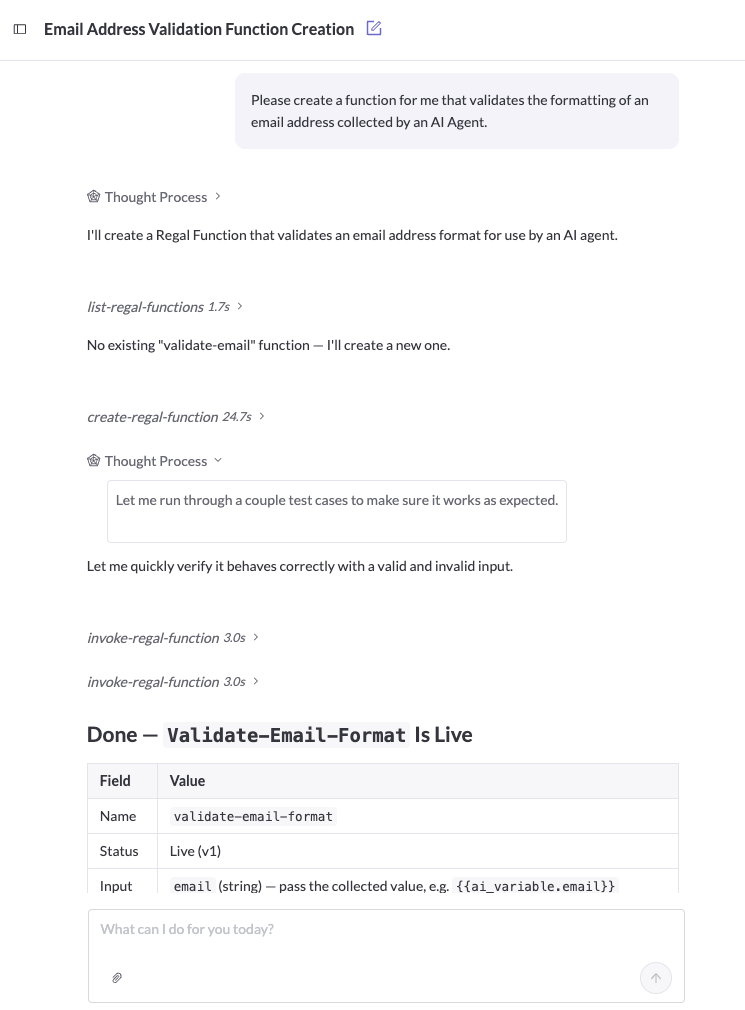
Functions created by Copilot appear in the Functions list like any other. You can edit, test, and version them in the editor.
Create a Function in the Editor
If you'd rather write the code yourself, here is how.
-
Go to Orchestration and open Functions.
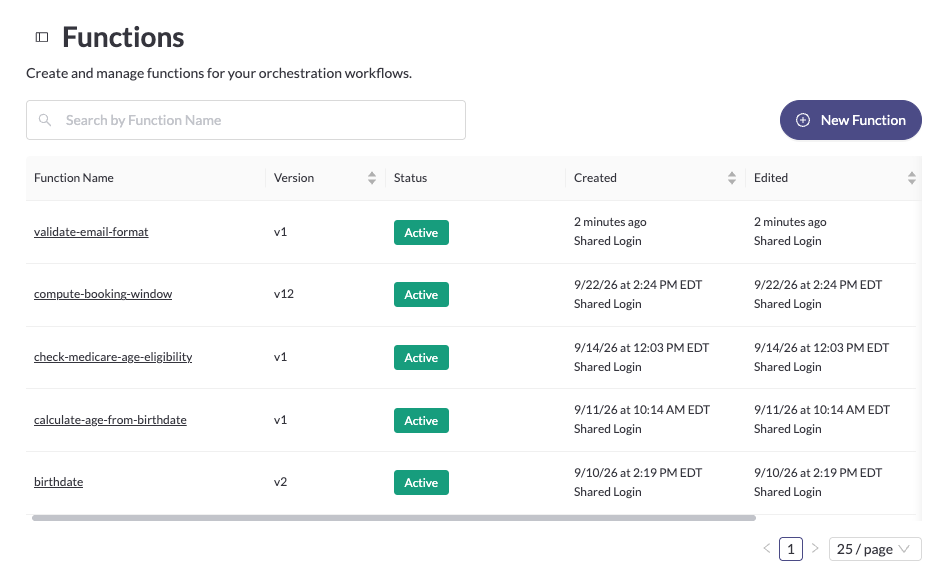
-
Click Create function and give it a name and a short description. New functions open with a working starter template.
-
Write your handler. Here is a function that cleans up an email address:
exports.handler = async (event, context) => { const email = event.params.email.toLowerCase().replace(/\s+/g, ""); const isValid = /^[a-zA-Z0-9._%+-]+@[a-zA-Z0-9.-]+\.[a-zA-Z]{2,}$/.test(email); return { validated_email: isValid ? email : "" }; }; -
Define the input schema and output schema. Add one field per input and per output, each with a name, a type (string, number, integer, or boolean), and a description.
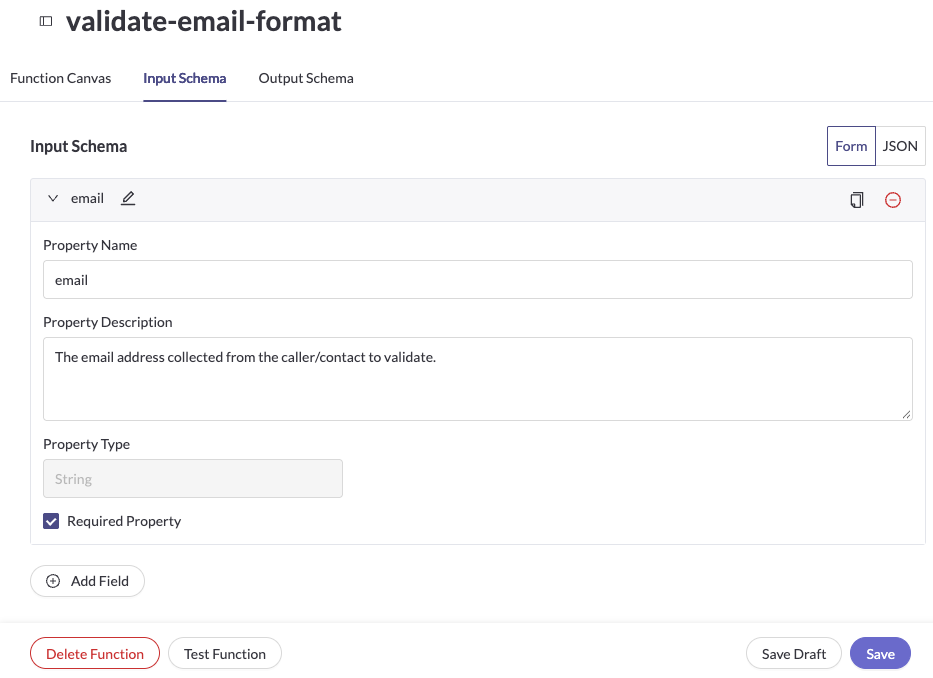
-
Set the timeout. The maximum is 60 seconds. Keep it short for live calls, since your caller waits while the function runs.
-
Save, then activate the function.
How Your Code Works
- Inputs arrive in
event.params. Return your result as an object that matches your output schema. - There are no HTTP status codes or headers. Return the outcome as a normal field, such as
successorerror_code, so your agent can act on it. - If your code throws an error, the agent receives a generic function error. Use output fields for anything you want the agent to handle.
- Functions can use a curated set of packages:
axios,got,luxon,moment-timezone,google-libphonenumber,qs, and Node's built-incrypto. You can't add your own packages.
Drafts and Versions
Edits save as a draft. Activating a draft makes it the live version. Calls always use the latest active version, so a change takes effect on the next call. To roll back, reactivate an earlier version. You can compare versions to see what changed.
Test Your Function
- Open the function and click Test function.
- Enter sample values for each input.
- Run the test and review the output or error.
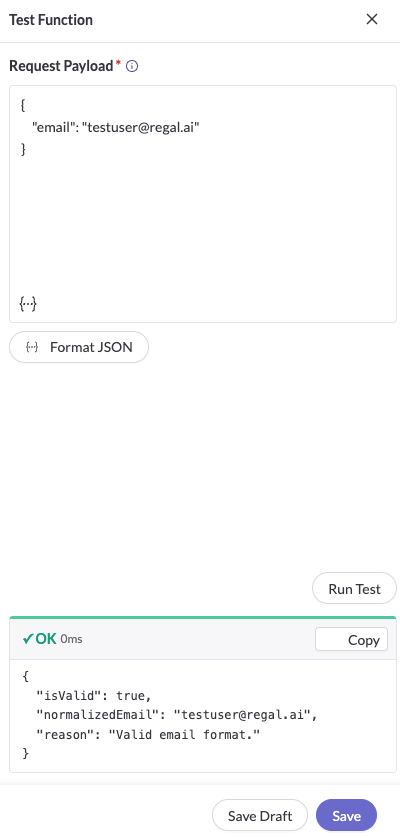
Test Your FunctionTests run your code for real. If your function writes to a CRM, the test writes to it too.
Troubleshooting & FAQ
Can I edit a function that Copilot created?
Yes. Open it from the Functions list and edit it like any other function.
My function returns an empty or unexpected value.
Run it from the Test function drawer with the same inputs and compare the output to your output schema.
My change isn't showing up.
Confirm you activated the new version. Drafts don't run on live calls.
Can I import a package that isn't on the list?
Not today. Reach out to your Regal team to ask about adding one.
Updated 28 minutes ago